
Licensing
Before using the software, an acitvation key needs to be activated. This works best if the PC is connected to the internet.
-
After an order is placed, the activation key is created by VIOSO according to the order specification and transmitted to you typically via E-mail.
-
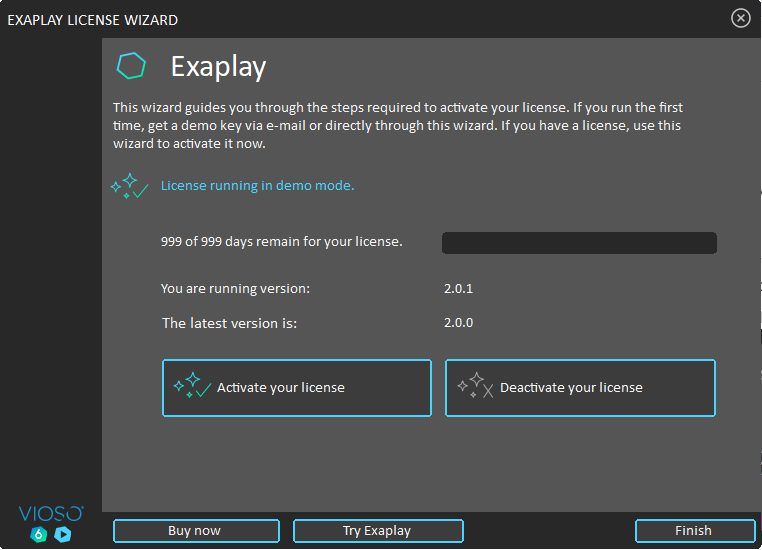
At the first start of EXAPLAY, the License Wizard shows up:
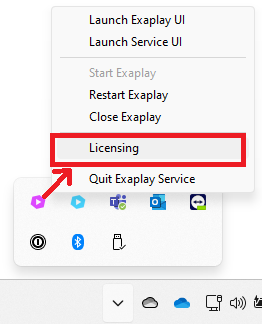
The license manager can also be called from the system tray:
-
Choose
Activate Your Licenseand thenActivate Online:

-
Klick “Activate your license” and enter the activation key. We recommend to “copy and paste” from a text source to avoid typos:
If everything is entered correctly, press the button “Activate”.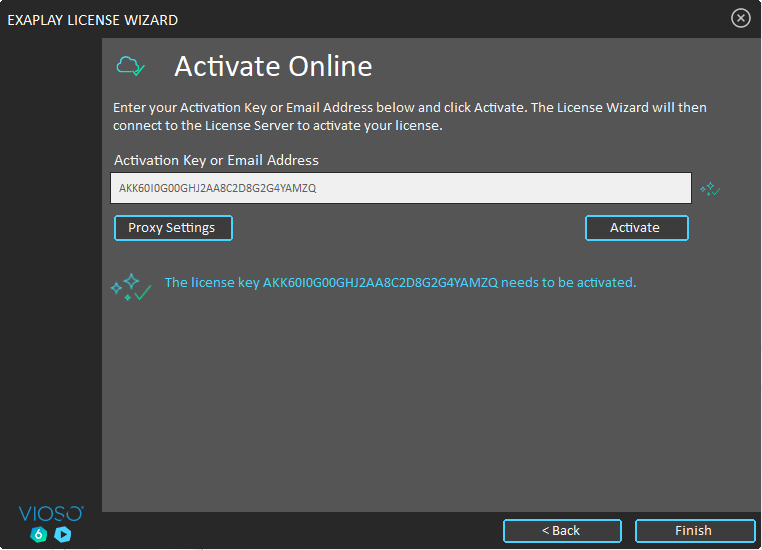
-
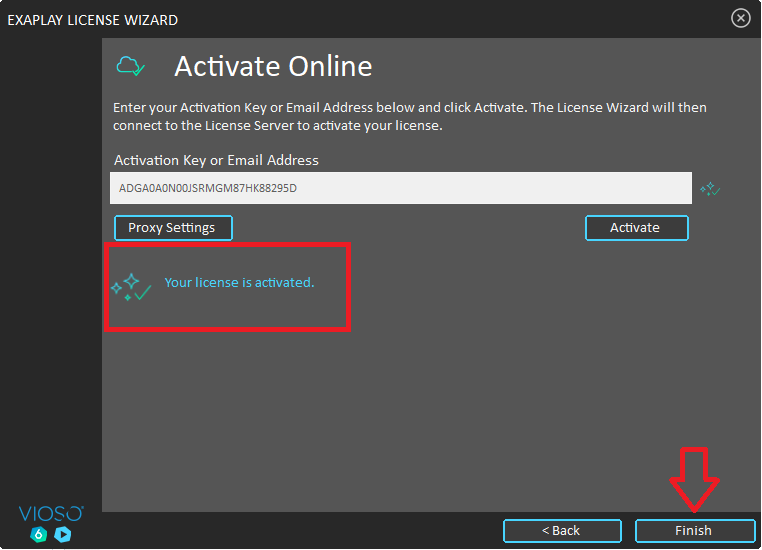
The activation key now is verified on our license server and locked on the PC. This takes only a few moments until “Your license is activated” is shown:
-
Click
Finishto close the the Activation Wizard. -
The application automatically starts up. With such an activated license, the Licence Wizard is not shown anymore.
Good to know:
Section titled “Good to know:”-
Hyphens or whitespace don’t matter when handling activation keys. So however you are handling an activation key, just copy&paste – the licensing system will clear any hypphen, whitespace and probably other characters.
-
“Your license failt to activate – the key […] expired on […]…” – this message indicates, that the license wasn’t a permanent license, but a license e.g. for extended testing. Please contact us to get this resolved